

Setup upload fix, watermarked Messenger and Metadata Inspector improvements
Software Development Update: April 2024

Metadata rules, Collection sorting, and Column View enhancements
Software Development Update: March 2024

Proofsheet fixes, Quick Look refinements, and SSO improvement
Software Development Update: February 2024

Performance improvements and metadata export refinements
Software Development Update: January 2024
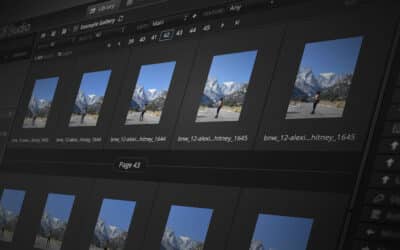
Continuous Scroll, proofsheet performance, and metadata enhancements
Software Development Update: December 2023
DF Studio Update: Continuous Scroll
DF Studio’s latest software release places an emphasis on streamlining workflows, making asset navigation quicker and providing greater performance with increased flexibility.

Software Development Update: October 2023
– The visuals and performance of the Activity Monitor have been further refined to enhance its usability.
– Fixed a configuration error which prevented account administrators from seeing the link to manage users and teams within DF Studio settings.
– Resolved a bug which could cause the Viewing Preferences panel on the Activity Monitor to become inaccessible under certain conditions.
– Corrected an issue which prevented scrolling down the list of messages in the Inbox when the list exceeded the current page view.
– Fixed a bug which prevented searching by DFS ID in the global search box.
– Addressed an issue which caused video previews to display at a smaller size than expected in full-screen mode.

Revert to Original Filenames
With the addition of the “Original Name” option among the asset fields exportable to a CSV file, DF Studio has enabled a new workflow to revert renamed images back to their original filenames in a streamlined, automated process.
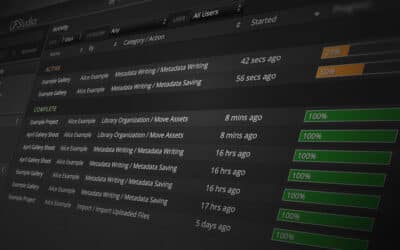
Software Development Update: September 2023
– The behavior and layout of the Activity Monitor has been enhanced for further clarity.
– The Column View in Library folder listings has been refined for a more intuitive experience.
– Corrected a bug which prevented the saving of metadata changes in Mobile Metadata Messengers.
– Addressed an issue which prevented bulk select/approval operations in Messengers from affecting assets across all pages.
– Fixed a problem which allowed the “Import From Messenger” button to appear in the Project Inspector in cases where the functionality was not available.
– Addressed a misconfiguration which caused the generation of playable video previews to fail for some assets.
Software Development Update: August 2023
– The CSV export feature now supports exporting the original name of an asset, as well as the file extensions for the files in its stack.
– Content delivery mechanisms have been optimized for a faster and more stable experience when downloading files in bulk.
– The Activity Monitor has been updated with visual enhancements and performance improvements, including the ability to customize the order of the columns displayed in the listing.
– The Security Settings screen has been redesigned to flow more intuitively and enhance the visibility of all controls.
– The technology supporting the Project and Collection Inspectors has been modernized to improve performance and pave the way for future updates.

How to Select for Approvals
A DF Studio Approval Messenger is a secure, streamlined tool for registering approvals on a set of assets quickly. Follow some tips to work through the process of completing and submitting an Approval Messenger, from start to finish.

Software Development Update: July 2023
– Resolved an issue which caused unusual display artifacts when viewing watermarked video files in a Messenger.
– Addressed an issue which caused errors when viewing Multi-Messengers on mobile devices.
– Resolved a problem which prevented the “Skip” and “Save and Next” buttons in the metadata from advancing to the next asset.
– Fixed a problem which caused the “Previous” and “Next” buttons to be omitted from the metadata editing overlay.
– Resolved an issue which made certain files unavailable for download when they experienced issues during ingestion.